
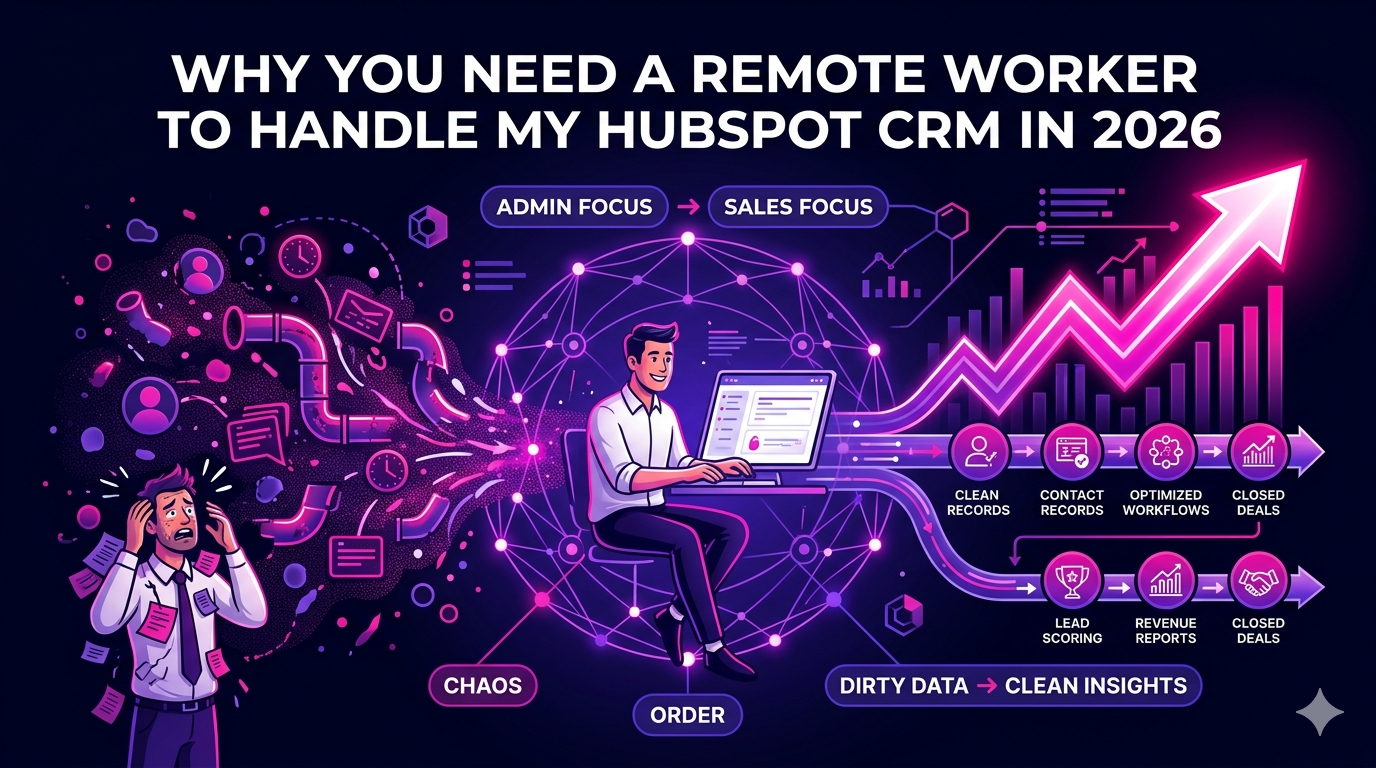
If you have ever caught yourself typing “I need a remote worker to handle my HubSpot CRM” into a search bar at 11 PM, you are not alone. Thousands of business owners and sales managers are drowning in untagged contacts, missed follow-up tasks, and pipeline chaos simply because no one owns the CRM. In 2026, with remote talent more accessible and affordable than ever, there is no reason to keep leaving money on the table inside a poorly managed HubSpot account.
This guide breaks down exactly why outsourcing your HubSpot CRM management to a skilled remote professional is one of the smartest growth decisions you can make this year.
What Does a Remote HubSpot CRM Worker Actually Do?
Before you hire, it helps to understand the scope of the role. A remote worker hired specifically to handle your HubSpot CRM is not just a data-entry person. They are a revenue operations partner who keeps your entire sales and marketing engine running cleanly.
Core Responsibilities
- Importing, deduplicating, and segmenting contact records
- Building and maintaining deal pipelines for each product or service line
- Creating and managing automation workflows, sequences, and email templates
- Setting up lead scoring models based on engagement and firmographic data
- Generating weekly and monthly reports on pipeline health, conversion rates, and revenue forecasts
- Training your sales team on new HubSpot features and best practices
- Integrating HubSpot with tools like Slack, Zoom, LinkedIn Sales Navigator, and payment platforms
- Auditing your CRM regularly to remove stale data and fix broken workflows
When someone takes full ownership of these tasks, your sales reps stop wasting time on admin work and start focusing on closing deals.
Why HubSpot CRM Management Is a Full-Time Job in 2026
HubSpot released significant platform updates in late 2025 and early 2026, including deeper AI-assisted deal scoring, expanded custom objects, and a revamped reporting suite. The platform is more powerful than ever, but that power comes with complexity. Keeping up with new features, deprecation notices, and best practices is genuinely a part-time or full-time commitment depending on the size of your database.
Signs Your HubSpot CRM Needs Dedicated Attention
- Your sales team complains the CRM “never has the right info”
- Deals are sitting in the wrong pipeline stages for weeks
- You have duplicate contacts or companies clogging your database
- Automated follow-up emails are going to the wrong segments
- You cannot tell which marketing channel is actually generating closed revenue
- Your HubSpot subscription cost is rising but ROI is unclear
If two or more of these apply to your business, you have already lost measurable revenue to CRM neglect. A dedicated remote worker changes that immediately.
The Business Case for Hiring a Remote HubSpot CRM Expert
Cost Savings Compared to In-House Hires
Hiring a full-time, in-house HubSpot administrator in the United States in 2026 costs between $65,000 and $90,000 per year when you include salary, benefits, payroll taxes, and onboarding time. A skilled remote worker with equivalent HubSpot expertise typically costs 40 to 60 percent less, depending on their location and experience level. That savings compounds every single month.
Speed to Productivity
Remote HubSpot specialists are already certified and operational. Many have managed CRMs for 10 or 20 businesses across different industries, which means they bring cross-sector best practices you would never get from a fresh local hire who needs six months of training.
Flexibility and Scalability
Your CRM needs are not static. During a product launch or outbound campaign, you may need 30 hours a week of CRM management. During slower months, 10 hours may suffice. A remote worker arrangement scales with your actual needs, unlike a salaried employee who costs the same regardless of workload.
What to Look for When Hiring a Remote CRM Manager for HubSpot
Not every virtual assistant or remote hire has the technical depth to manage a complex HubSpot instance. Here is what to screen for when you bring someone on to handle your HubSpot CRM.
Must-Have Skills and Qualifications
- HubSpot CRM Certification (updated within the last 12 months)
- Experience with HubSpot Sales Hub, Marketing Hub, and Operations Hub
- Proficiency in workflow automation and sequence building
- Understanding of attribution reporting and revenue analytics
- Experience connecting HubSpot to third-party tools via native integrations or Zapier
- Strong written communication for async collaboration with your team
- Proven track record with measurable outcomes (reduced duplicate records, improved pipeline velocity, etc.)
Nice-to-Have Skills
- Background in sales development or revenue operations
- Familiarity with SQL or basic data manipulation for custom reports
- Experience with HubSpot’s CMS for landing page and email design
If you want to skip the vetting process entirely, working with a specialist staffing platform makes the most sense. Explore experienced remote virtual assistants and CRM specialists at The Remote Reps to find pre-vetted talent ready to take over your HubSpot operations starting week one.
How to Onboard a Remote Worker for Your HubSpot CRM
A smooth onboarding process sets your remote CRM manager up for success and protects your existing data.
Week 1: Access and Audit
- Grant appropriate user permissions in HubSpot (avoid giving super admin access immediately)
- Provide a walkthrough of your current pipeline stages and deal definitions
- Share any existing SOPs, sales playbooks, or naming conventions
- Let them run a CRM audit to identify the top 10 issues to fix first
Week 2 to 4: Cleanup and Quick Wins
- Deduplication of contacts and companies
- Fixing broken workflows or sequences
- Tagging and segmenting existing contacts into meaningful lists
- Building a simple weekly reporting dashboard for leadership
Month 2 and Beyond: Optimization and Automation
- Building advanced lead nurturing workflows
- Implementing lead scoring
- Creating closed-loop attribution between marketing and sales
- Documenting all CRM processes so the entire team follows consistent practices
Remote HubSpot CRM Management vs. HubSpot Agencies
Some businesses consider hiring a HubSpot agency instead of a dedicated remote worker. Both options have merit, but they serve different needs.
Agencies are better suited for one-time setup projects, initial implementations, or major platform migrations. They charge premium rates, often $150 to $300 per hour, and your account is managed by a rotating team rather than a single dedicated owner who knows your business intimately.
A dedicated remote worker, by contrast, becomes embedded in your team. They learn your product, your ICP, your sales culture, and your reporting preferences. Over time, that institutional knowledge pays dividends that no agency relationship can replicate.
According to HubSpot’s 2026 State of Sales research, companies that maintain a clean, actively managed CRM see up to 29 percent higher win rates compared to businesses with poorly maintained data. That statistic alone makes the case for dedicated remote CRM management.
Conclusion: Stop Letting Your HubSpot CRM Run Itself
Your HubSpot CRM is only as valuable as the attention it receives. If you have been putting off the decision to hire a remote worker to handle your HubSpot CRM, consider what it is costing you in lost follow-ups, dirty data, and missed revenue attribution every single month.
In 2026, the talent market for skilled remote HubSpot professionals is deep and global. You can hire someone with years of experience, strong communication skills, and proven results without paying big-city salaries or committing to a long hiring process.
The right remote CRM manager will clean up your database, build workflows that actually work, and give your sales team the real-time visibility they need to hit quota consistently. That is a high-leverage investment with immediate and compounding returns.
Ready to find your next remote HubSpot CRM expert? Visit The Remote Reps to connect with pre-vetted remote talent who specialize in CRM management and sales operations.
Frequently Asked Questions
How much does it cost to hire a remote worker to handle my HubSpot CRM?
The cost of hiring a remote worker to handle your HubSpot CRM varies based on experience level, location, and hours needed. In 2026, expect to pay between $800 and $2,500 per month for a part-time remote CRM specialist, and $2,500 to $5,000 per month for a full-time dedicated expert. This is significantly less than the cost of an in-house hire when you factor in benefits, taxes, and overhead.
What qualifications should a remote worker handling my HubSpot CRM have?
At minimum, the remote worker you hire to handle your HubSpot CRM should hold a current HubSpot CRM certification, have hands-on experience with automation workflows and pipeline management, and be able to demonstrate measurable results from previous CRM roles. Bonus qualifications include experience with revenue operations, third-party integrations, and HubSpot’s reporting tools.
How long does it take a remote HubSpot CRM worker to get my account organized?
For a moderately messy HubSpot account with fewer than 20,000 contacts, a skilled remote worker to handle your HubSpot CRM can complete an initial cleanup and restructuring in two to four weeks. Larger databases or more complex setups with multiple pipelines and integrations may take six to eight weeks for a full audit and rebuild.
Can a remote worker handle my HubSpot CRM and also manage outreach?
Yes, many remote HubSpot CRM workers have overlapping skills in sales development, cold outreach, and sequence management. If you want someone who can both manage your CRM and run outbound campaigns, look for candidates with an SDR or sales operations background. Some platforms allow you to find remote workers with combined CRM and outreach capabilities in a single hire.
Is it safe to give a remote worker admin access to my HubSpot CRM?
You do not need to grant full super admin access immediately. HubSpot’s user permission settings allow you to assign specific roles and data visibility scopes. Start with limited permissions during the first two weeks, then expand access as trust is established. Always use a business email address rather than a personal account, and enable two-factor authentication on all HubSpot user accounts for maximum security.
How do I measure the performance of a remote worker managing my HubSpot CRM?
Track performance by monitoring key CRM health metrics before and after the hire. Useful benchmarks include the percentage of contacts with complete records, average time deals spend in each pipeline stage, number of active workflows running without errors, data accuracy rates, and weekly or monthly report delivery consistency. A reliable remote worker to handle your HubSpot CRM should proactively share these metrics with you on a regular schedule.