Deciding to hire a remote worker for WordPress site management is one of the smartest moves a business owner can make in 2026. Your website is often the first impression a potential customer gets of your brand, and a poorly maintained WordPress site can cost you traffic, leads, and revenue. Yet most business owners do not have the time, technical knowledge, or bandwidth to keep a WordPress site running at its best.
That is exactly where a skilled remote WordPress worker comes in. In this guide, you will discover what a remote WordPress manager actually does, how to find and vet the right candidate, and how to build a workflow that keeps your site healthy without taking up any of your time.
Why Businesses Are Choosing to Hire Remote Workers for WordPress in 2026
The shift toward remote work has fundamentally changed how companies build their digital teams. Rather than paying a full-time in-house developer, businesses are hiring specialized remote professionals who focus exclusively on WordPress site management at a fraction of the cost.
The benefits of this approach are significant:
- Access to a global talent pool with deep WordPress expertise
- Lower overhead compared to full-time employees or local agencies
- Flexible engagement models, from hourly support to monthly retainers
- Faster turnaround on updates, fixes, and content changes
- Round-the-clock coverage across different time zones
For small to mid-sized businesses, startups, and e-commerce brands, hiring a remote worker for WordPress site management delivers professional-level website care without the cost of a full agency retainer.
What Does a Remote WordPress Site Manager Actually Do?
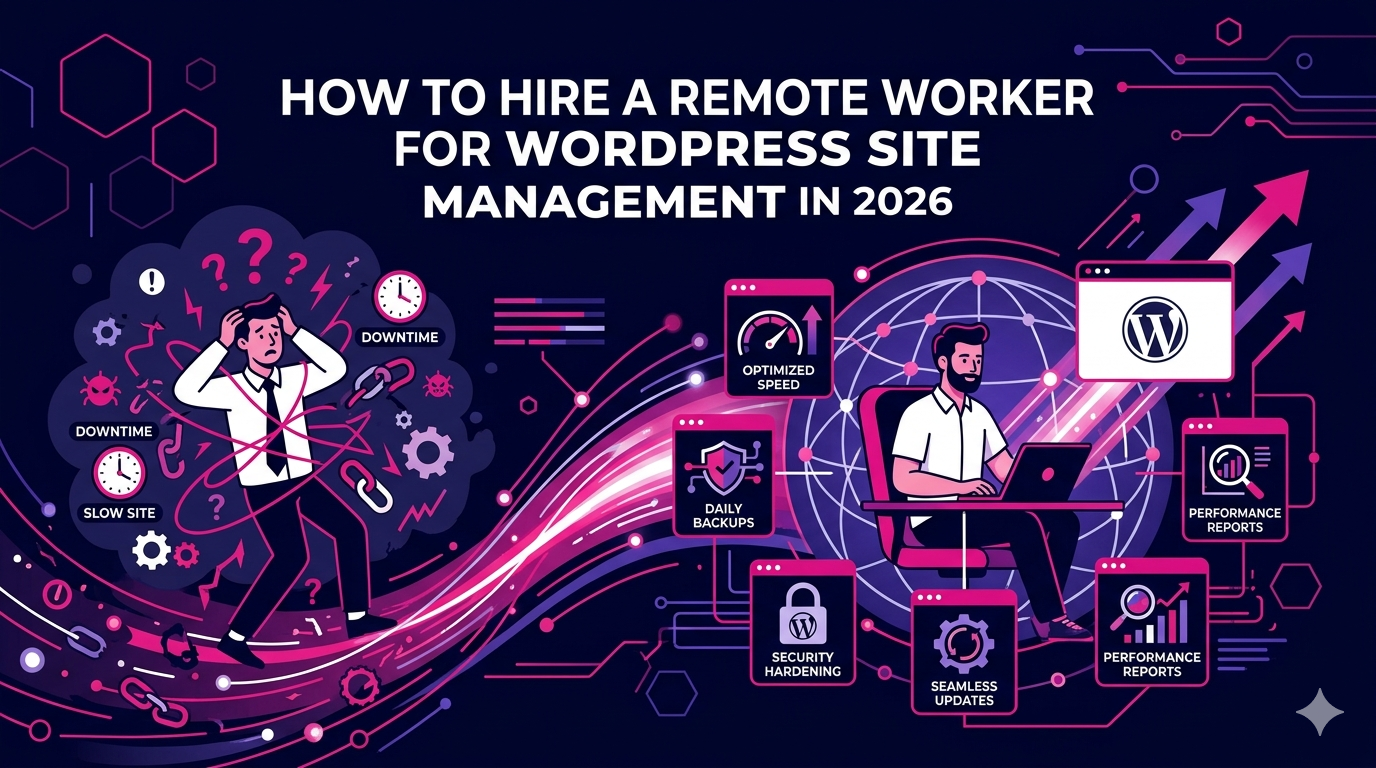
Before you hire, it helps to understand exactly what tasks fall under WordPress site management. The role is broader than most people expect and can cover both technical and content-related responsibilities.
Core Technical Responsibilities
- Running regular WordPress core, theme, and plugin updates
- Performing daily or weekly site backups using tools like UpdraftPlus or Jetpack
- Monitoring site uptime and responding to downtime alerts
- Conducting security scans and resolving malware or vulnerability issues
- Optimizing site speed using caching plugins, image compression, and CDN configuration
- Managing hosting environments, DNS settings, and SSL certificate renewals
- Fixing broken links, 404 errors, and plugin conflicts
Content and SEO Support
- Uploading and formatting blog posts, landing pages, and product listings
- Optimizing on-page SEO using tools like Yoast SEO or Rank Math
- Updating metadata, alt text, and internal linking structures
- Managing media libraries and ensuring image file sizes stay optimized
- Making layout adjustments using page builders like Elementor or Divi
Reporting and Communication
- Providing monthly performance reports on traffic, Core Web Vitals, and uptime
- Communicating proactively about any issues, risks, or recommended improvements
- Coordinating with your SEO, design, or marketing team as needed
When you hire a remote worker for WordPress site management, you are essentially getting a dedicated technical partner who keeps your digital presence running smoothly in the background.
Skills to Look for When Hiring a Remote WordPress Worker
Not every remote worker who lists WordPress on their profile is qualified to manage a business-critical website. When evaluating candidates, look for this specific combination of skills and experience.
Technical WordPress Proficiency
Your candidate should have hands-on experience managing WordPress sites beyond basic content entry. This means understanding how themes and child themes work, how to safely update plugins without breaking functionality, and how to troubleshoot common errors like the white screen of death or plugin conflicts.
Security and Backup Knowledge
WordPress powers over 40 percent of all websites, which makes it a frequent target for cyberattacks. A qualified remote WordPress worker must understand security hardening practices, including two-factor authentication, file permission management, login protection, and malware scanning with tools like Wordfence or Sucuri.
Performance Optimization Experience
Site speed directly impacts your Google rankings and conversion rates. Look for a remote worker who understands Core Web Vitals, can configure caching solutions like WP Rocket or W3 Total Cache, and knows how to reduce page load times through image optimization and script management.
Communication and Self-Management
Because your WordPress manager will work remotely, strong communication skills are non-negotiable. They should be comfortable providing regular status updates, flagging issues before they become problems, and working independently without needing constant supervision.
For a deeper look at the type of remote digital talent available, explore the remote digital marketer services at The Remote Reps, where you can find professionals who combine WordPress expertise with broader digital strategy skills.
How to Hire a Remote Worker for WordPress Site Management Step by Step
Finding the right person requires more than posting a job description and hoping for the best. Follow this structured process to hire with confidence.
Step 1: Define the Scope of Work
Start by listing every task you want your remote WordPress worker to handle. Be specific. Do you need someone for ongoing monthly maintenance, active development work, content uploads, or all three? A clear scope of work helps you write a better job brief and evaluate candidates against the same standard.
Step 2: Write a Skills-Based Job Description
Your job description should specify the WordPress version, themes, and plugins your site currently uses, the expected hours per week or month, preferred communication tools (Slack, Asana, Notion), and any reporting requirements. This filters out generalists and attracts specialists.
Step 3: Conduct a Practical Skills Test
Before hiring, assign a small paid test task. This could be identifying and resolving a deliberately introduced plugin conflict, writing an SEO-optimized post upload with correct metadata, or producing a brief site audit report. Real-world tasks reveal far more about a candidate than any interview question.
Step 4: Check References and Past Work
Ask for examples of WordPress sites they currently manage or have managed in the past. Reach out to previous clients to verify reliability, communication quality, and technical competence. A track record of managing sites in your industry is a strong positive signal.
Step 5: Start with a Trial Period
Begin with a one-month trial before committing to a long-term arrangement. Define clear success metrics such as update completion rate, response time to issues, and monthly reporting quality so you have an objective basis for evaluating the relationship.
How Much Does It Cost to Hire a Remote WordPress Site Manager?
Costs vary widely based on the candidate’s location, experience level, and scope of work. As a general guide for 2026:
- Entry-level remote WordPress workers: $8 to $15 per hour
- Mid-level experienced managers: $15 to $35 per hour
- Senior WordPress developers with management skills: $40 to $80 per hour
- Monthly maintenance retainers: $150 to $600 per month depending on site complexity
For most small businesses, a part-time remote worker on a monthly retainer provides the best value. You get consistent, professional site care without paying for idle hours.
Where to Find Qualified Remote WordPress Workers
You have several options when sourcing candidates. Freelance platforms like Upwork and Toptal offer large talent pools, but vetting takes significant time. Specialized staffing partners who pre-screen remote professionals for technical skill and reliability are often a faster and more dependable route.
According to WordPress.org platform statistics, WordPress continues to power more than 43 percent of all websites globally in 2026, which means demand for skilled remote WordPress site managers remains high and competition for the best talent is real. Using a trusted hiring partner gives you a meaningful edge in securing reliable professionals quickly.
The Remote Reps specializes in matching businesses with pre-vetted remote workers across a wide range of digital roles. You can view what past clients have experienced by reading reviews on the Remote Reps testimonials page.
Setting Your Remote WordPress Worker Up for Success
Hiring the right person is only half the equation. Setting up the right systems and processes ensures the relationship delivers long-term value.
- Use a password manager like 1Password or LastPass to share access securely without exposing master credentials
- Set up a staging environment so updates and changes can be tested before going live
- Create a shared task board in Trello, Notion, or Asana to track ongoing maintenance items
- Establish a weekly or bi-weekly check-in call or written update routine
- Document your site’s existing setup, plugins, and any known quirks in a simple onboarding document
The more structure you put in place at the start, the faster your remote WordPress manager can work independently and the less time you spend managing the manager.
FAQ: Hire Remote Worker for WordPress Site Management
What qualifications should I look for when I hire a remote worker for WordPress site management?
Look for proven hands-on experience managing WordPress sites, knowledge of security and performance best practices, familiarity with common plugins and page builders, and strong communication skills. A practical test task during the hiring process is the most reliable way to verify real competence.
How many hours per week does it take to manage a WordPress site remotely?
For a standard small business website, expect five to ten hours per month for basic maintenance. Sites with active blogs, e-commerce functionality, or frequent content updates may require ten to twenty hours per month. A remote worker hired for WordPress site management can give you a more precise estimate after reviewing your specific setup.
Is it safe to hire a remote worker for WordPress site management?
Yes, provided you follow secure access protocols. Use a password manager to share credentials, assign role-based user permissions in WordPress rather than sharing admin login details, and set up two-factor authentication on all accounts. Starting with a trial period also allows you to assess trustworthiness before granting broader access.
Can a remote WordPress worker also handle SEO and content updates?
Many remote workers hired for WordPress site management have overlapping skills in on-page SEO and content management. If SEO is a priority, confirm the candidate has experience with tools like Yoast SEO or Rank Math and understands metadata, schema markup, and internal linking best practices.
What is the difference between hiring a remote WordPress worker and using a maintenance service?
A dedicated remote worker hired for WordPress site management gives you a consistent point of contact who understands your site deeply over time. Automated maintenance services handle updates and backups but typically do not offer custom fixes, content support, or strategic input. For most growing businesses, a dedicated remote worker delivers more value.
How do I manage a remote WordPress worker effectively?
Use a shared project management tool, set clear monthly deliverables, and establish a regular check-in rhythm. Provide a detailed onboarding document covering your site setup, preferred tools, and communication expectations. The clearer your systems, the more independently and effectively your remote WordPress manager will operate.
The Bottom Line: Why You Should Hire a Remote Worker for WordPress Today
Your WordPress site is a business asset that requires consistent care to perform at its best. In 2026, the most cost-effective and reliable way to deliver that care is to hire a remote worker for WordPress site management. You get specialized expertise, flexible support, and significant time savings without the overhead of a full-time hire or a bloated agency contract.
If you are ready to find the right person, explore The Remote Reps virtual assistant and remote worker services and connect with a pre-vetted professional who can take WordPress management completely off your plate.