
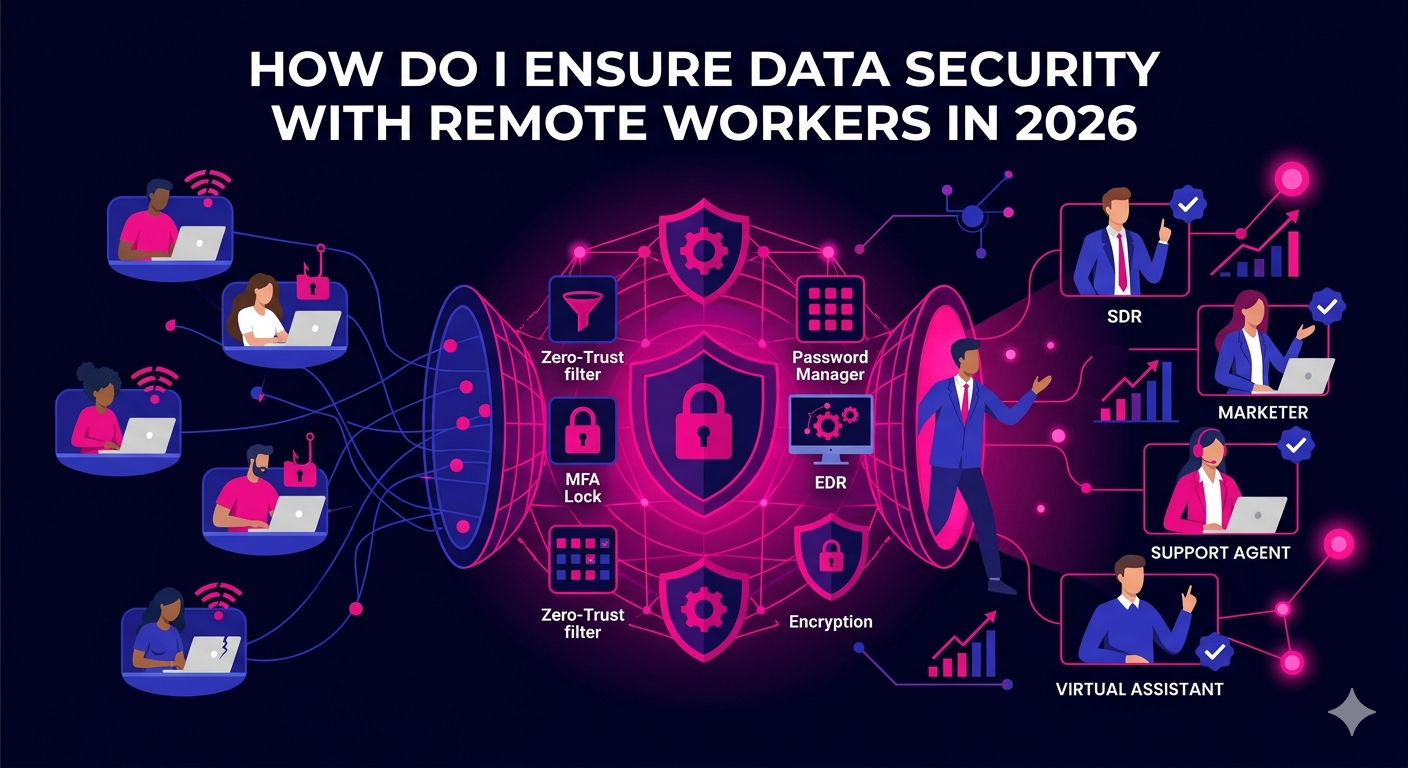
If you are asking yourself how do I ensure data security with remote workers, you are raising one of the most important questions facing business owners and IT leaders today. As distributed teams become the standard operating model across industries, the attack surface for data breaches has expanded significantly. Remote workers access sensitive systems from home networks, personal devices, coffee shops, and co-working spaces, each of which introduces unique security risks that a traditional office setup would not face.
The good news is that with the right combination of policies, tools, and training, you can build a security posture that protects your business without slowing your team down. This guide covers everything you need to know to answer that question with confidence.
Why Data Security With Remote Workers Is a Growing Priority in 2026
The shift to remote and hybrid work has permanently changed the threat landscape. In 2026, cyberattacks targeting remote workers have become more sophisticated, with phishing campaigns, credential theft, and ransomware attacks specifically designed to exploit the gaps that appear when employees work outside a controlled office environment.
Key risk factors for remote teams include:
- Use of unsecured public or home Wi-Fi networks
- Personal devices that lack enterprise-grade security controls
- Shadow IT, where employees use unauthorized apps or services
- Weak or reused passwords across personal and professional accounts
- Lack of visibility for IT teams into remote endpoint activity
Understanding these risks is the first step toward building a strategy that actually works.
How Do I Ensure Data Security With Remote Workers Through Policy
Technology alone cannot solve your data security challenges. A strong security policy is the foundation every other measure builds upon. Without documented standards and expectations, even the best security tools lose their effectiveness.
Create a Remote Work Security Policy
Your remote work security policy should define exactly what is expected of every team member who accesses company data from outside the office. At a minimum, this document should cover acceptable use of company devices, rules around personal device usage, requirements for secure network connections, procedures for reporting suspected breaches, and guidelines for handling sensitive data such as client records or financial information.
This policy should be reviewed and updated at least once per year. In 2026, many organizations review their remote security policies quarterly given how quickly the threat environment changes.
Enforce a Clear Offboarding Process
One of the most overlooked data security risks with remote workers is the offboarding gap. When a remote employee leaves the organization, they may retain access to company systems for days or weeks if there is no structured process in place. Your offboarding checklist should include immediate revocation of all system access, retrieval or remote wiping of company devices, and audit of any shared accounts the employee may have used.
How to Ensure Data Security With Remote Workers Using the Right Tools
Once your policy framework is in place, technology becomes the enforcement layer that makes security practical and scalable.
Implement a Zero-Trust Network Architecture
Zero-trust security operates on the principle that no user or device should be trusted by default, even if they are already inside the network. Every access request is verified based on identity, device health, and context before being granted. Tools like Cloudflare Access, Zscaler, and Microsoft Entra ID enable organizations to implement zero-trust principles without requiring a complex traditional VPN setup.
In 2026, zero-trust has moved from being a cutting-edge approach to a baseline expectation for any organization with a distributed workforce.
Use a Password Manager and Enforce Multi-Factor Authentication
Weak and reused passwords remain one of the leading causes of data breaches involving remote workers. Deploying a business password manager like 1Password Teams or Bitwarden Business solves this problem by generating and storing strong, unique passwords for every account. Employees never need to know or remember the actual password, which means it cannot be shared, written down, or phished.
Multi-factor authentication (MFA) adds a second layer of verification that makes stolen credentials far less useful to attackers. Enforcing MFA across all business applications should be a non-negotiable baseline in 2026.
Deploy Endpoint Detection and Response Software
Endpoint detection and response (EDR) tools monitor devices in real time for suspicious behavior. Unlike traditional antivirus software that only catches known threats, EDR platforms use behavioral analysis to detect novel attack patterns. Leading options for remote teams in 2026 include CrowdStrike Falcon, SentinelOne, and Microsoft Defender for Business.
These tools give your IT team or managed security provider visibility into every endpoint, whether it is a company-issued laptop in another country or a contractor’s workstation at home.
Encrypt Data in Transit and at Rest
Encryption ensures that even if data is intercepted or a device is stolen, the information inside remains unreadable without the correct decryption key. All business devices should have full-disk encryption enabled. All data transfers between remote workers and company systems should happen over encrypted connections using TLS or equivalent standards.
Cloud storage platforms like Google Drive and Microsoft OneDrive both offer encryption by default, but it is worth verifying your configuration and access controls to ensure sensitive data is not being stored or shared in ways that bypass these protections.
Training Your Remote Team to Protect Company Data
The human element is consistently the weakest link in any security chain. Phishing attacks, social engineering, and simple mistakes account for a large proportion of all data breaches. Training your remote workers to recognize and respond to threats is as important as any technical control.
Run Regular Security Awareness Training
Security awareness training should not be a one-time onboarding activity. In 2026, the most effective programs deliver short, frequent training modules throughout the year. Platforms like KnowBe4 and Proofpoint Security Awareness Training allow organizations to simulate phishing attacks, measure click rates, and deliver targeted training to employees who need it most.
Establish Clear Reporting Channels
Remote workers who suspect they have clicked a malicious link or inadvertently exposed company data need to know exactly who to contact and what to do. A well-communicated incident reporting process reduces the time between a breach occurring and your team responding to it, which directly limits the damage an attacker can do.
Managing Data Security for Different Types of Remote Workers
The answer to how do I ensure data security with remote workers can vary depending on the type of role involved. Full-time remote employees, freelancers, and offshore contractors each present different risk profiles that require tailored approaches.
Full-Time Remote Employees
Full-time remote employees should be treated the same as office-based staff from a security standpoint. They should receive company-issued and managed devices wherever possible, be enrolled in all security training programs, and be subject to the same access controls as any other employee.
Contractors and Freelancers
Contractors and freelancers often use their own devices and work across multiple clients simultaneously. For this group, the priority is limiting access to only the systems and data they need to complete their specific work. Role-based access controls, contractor-specific accounts with defined expiry dates, and clear data handling clauses in contracts all help reduce exposure.
If you work with remote professionals across sales, marketing, or operations roles, it is worth understanding how platforms that vet and place remote talent approach security standards. Learn more about how The Remote Reps executive assistants are vetted and managed with security-conscious practices built into every engagement.
Compliance Considerations for Remote Worker Data Security in 2026
Depending on your industry and the markets you serve, data security with remote workers may also be a compliance requirement rather than just a best practice. Regulations like GDPR in Europe, HIPAA in healthcare, SOC 2 for technology companies, and various data protection laws across APAC markets require organizations to demonstrate that they have implemented appropriate controls to protect personal and sensitive data, regardless of where their employees are located.
Failure to comply with these regulations can result in significant financial penalties and reputational damage. Working with a qualified compliance advisor and conducting regular security audits are important steps for any organization operating a distributed workforce in regulated industries.
For further guidance on current standards and best practices, the NIST Cybersecurity Framework provides authoritative guidance on data security practices for remote and distributed workforces and is widely used by organizations of all sizes to structure their security programs.
Conclusion
Answering the question of how do I ensure data security with remote workers requires action on multiple fronts simultaneously. A strong written policy sets the expectations. The right tools enforce them at scale. Regular training keeps your team sharp and prepared. And a culture of accountability ensures that security becomes a shared responsibility rather than something only IT thinks about.
In 2026, data security is not a one-time project. It is an ongoing program that evolves alongside the threats your organization faces. The businesses that take it seriously are the ones that retain client trust, avoid costly breaches, and scale their remote operations with confidence.
If you are building or expanding a remote team and want to work with professionals who understand secure, accountable remote work practices, The Remote Reps connects businesses with vetted remote talent ready to operate within your security standards from day one.
Frequently Asked Questions
How do I ensure data security with remote workers who use personal devices?
To ensure data security with remote workers using personal devices, implement a mobile device management (MDM) solution or a bring-your-own-device (BYOD) policy that requires minimum security standards such as screen lock, disk encryption, and up-to-date operating systems. Use containerization tools that separate work applications from personal ones, and require all company data to be accessed through approved, secured applications rather than personal email or storage accounts.
How do I ensure data security with remote workers when they use public Wi-Fi?
The most effective way to ensure data security with remote workers on public Wi-Fi is to require the use of a VPN or zero-trust network access tool whenever they connect outside of a trusted network. These tools encrypt all traffic between the device and company systems, making it extremely difficult for attackers on the same network to intercept sensitive information. Additionally, educating workers about the risks of public Wi-Fi and the importance of using hotspots from a personal mobile device when a trusted network is unavailable is an important complementary step.
How do I ensure data security with remote workers across multiple countries?
Ensuring data security with remote workers in multiple countries requires attention to both technical and legal dimensions. On the technical side, centralized identity management, role-based access controls, and consistent endpoint security policies applied regardless of location are essential. On the legal side, you need to understand the data residency and cross-border transfer requirements of the countries involved, particularly if you serve clients in jurisdictions with strict data protection laws like the EU or Brazil.
How do I ensure data security with remote workers without slowing them down?
The key to ensuring data security with remote workers without creating friction is choosing tools that integrate seamlessly into existing workflows. Password managers remove the burden of remembering complex passwords. Single sign-on (SSO) solutions allow workers to access multiple applications with one verified login. Zero-trust tools can be configured to remember trusted devices, reducing repeated authentication requests. Security that feels invisible to the end user is security that actually gets used consistently.
How do I ensure data security with remote workers when onboarding new hires?
Onboarding is one of the highest-risk periods for data security with remote workers because new hires are learning systems while having access to sensitive data. To reduce this risk, use a structured onboarding process that grants access progressively based on role requirements, requires completion of security awareness training before full system access is granted, and pairs new remote hires with a security-conscious buddy or manager who can answer questions and spot risky behaviors early.
How do I ensure data security with remote workers who handle client data?
When remote workers handle client data, your security standards need to be even more rigorous. Implement strict data classification policies so workers know exactly how different types of information should be stored, transmitted, and disposed of. Use encrypted communication channels for sharing client files, avoid storing sensitive client data on local devices wherever possible, and include data handling obligations in every remote worker contract. Regular audits of who has access to client data and why will also help you maintain a clean and defensible access record.