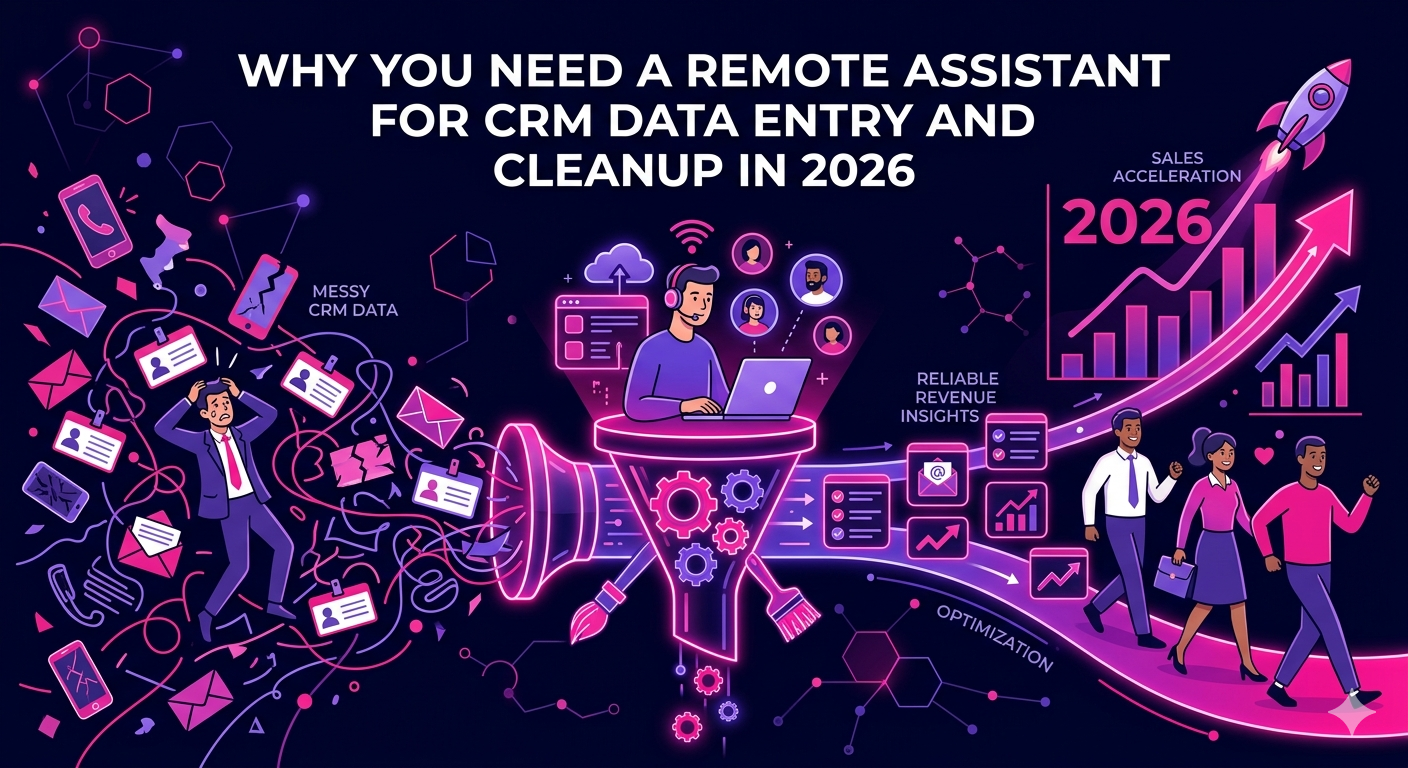
If your sales team is spending hours every week logging contacts, fixing duplicate records, and chasing down missing information, your CRM is costing you more than it is saving. Hiring a remote assistant for CRM data entry and cleanup is the practical solution that high-performing sales and marketing teams are turning to in 2026.
A well-maintained CRM is the engine behind accurate forecasting, effective outreach, and reliable reporting. When that data is messy, outdated, or incomplete, every decision made from it is compromised. This guide covers everything you need to know about delegating CRM work to a remote professional, from what tasks they handle to how to hire the right person.
The Real Cost of Dirty CRM Data
Most businesses underestimate how much poor CRM hygiene costs them. Research from data quality experts consistently shows that bad data is responsible for wasted marketing spend, missed follow-ups, and inaccurate sales forecasting. In 2026, with CRM platforms deeply integrated into revenue operations, the stakes are higher than ever.
Common CRM data problems include:
- Duplicate contact and company records cluttering the pipeline
- Outdated email addresses, phone numbers, and job titles
- Inconsistent field formatting across different team members’ entries
- Missing deal stages, close dates, and ownership assignments
- Incomplete lead source tracking that breaks attribution reporting
- Contacts imported from multiple sources with conflicting data
Each of these issues erodes trust in your CRM and forces your sales reps to waste time on manual verification instead of selling. A dedicated remote assistant for CRM data entry and cleanup eliminates these problems systematically, so your team always works from a reliable, up-to-date database.
What a Remote CRM Assistant Actually Does
The scope of work for a remote assistant handling CRM data entry and cleanup is broader than most people expect. Here is a detailed breakdown of the key responsibilities.
Ongoing CRM Data Entry
- Logging new leads, contacts, and companies from inbound forms, events, and outreach campaigns
- Entering deal details, opportunity stages, and activity notes from sales calls and emails
- Importing and mapping data from spreadsheets, LinkedIn exports, and third-party tools
- Updating contact records based on email replies, bounce notifications, and rep feedback
- Tagging and segmenting contacts according to your defined categories and workflows
CRM Data Cleanup and Deduplication
- Identifying and merging duplicate contact, company, and deal records
- Standardizing field formats across name, phone, address, and company size fields
- Removing invalid email addresses and flagging contacts with high bounce risk
- Enriching records with missing information using tools like Apollo, ZoomInfo, or Clearbit
- Archiving or deleting contacts that no longer meet your targeting criteria
CRM Maintenance and Quality Control
- Running regular data audits to surface new gaps or inconsistencies
- Maintaining property and field consistency as your CRM evolves
- Building and updating list segmentations for sales and marketing campaigns
- Documenting data entry standards so new team members follow the same conventions
If your team also needs support with outbound prospecting and pipeline building, explore the remote lead generation experts at The Remote Reps who work alongside CRM assistants to keep your pipeline full and your data clean simultaneously.
Which CRM Platforms Can a Remote Assistant Work With?
A skilled remote assistant for CRM data entry and cleanup should be proficient with the major platforms businesses use in 2026. The most common include:
- HubSpot CRM (including Sales Hub and Marketing Hub)
- Salesforce (Sales Cloud and Service Cloud)
- Zoho CRM
- Pipedrive
- Monday.com CRM
- Close CRM
- GoHighLevel
When hiring, always confirm that the candidate has direct experience with your specific platform. CRM interfaces and data structures vary considerably, and a VA who knows HubSpot deeply will onboard much faster than one who needs to learn the platform from scratch.
Key Skills to Look for When Hiring a Remote CRM Assistant
Not every virtual assistant is equipped to handle CRM data work at a professional level. The right candidate should bring a specific set of technical and organizational competencies to the role.
Attention to Detail and Data Accuracy
CRM data entry is only valuable when it is accurate. Your remote assistant must have a track record of precise, consistent work. Even minor errors in field formatting or contact assignment can ripple through your reporting and outreach sequences, so this skill is non-negotiable.
Familiarity with Data Enrichment Tools
Modern CRM cleanup often involves more than editing records manually. A strong remote CRM assistant will know how to use enrichment tools to verify emails, pull in company data, and fill gaps at scale. Familiarity with Apollo.io, Hunter.io, or Clearbit gives you a significant productivity advantage.
Understanding of Sales and Marketing Workflows
Your CRM exists to support your revenue team. An assistant who understands how deals move through a pipeline, what lead scoring means, and how segmentation affects campaign targeting will make smarter decisions about how to organize and maintain your data compared to someone with no sales context.
Proficiency with Spreadsheets and Data Tools
Much of the cleanup work involves exporting records, manipulating data in Excel or Google Sheets, and re-importing cleaned files. Strong spreadsheet skills, including VLOOKUP, deduplication formulas, and conditional formatting, are a practical necessity for this role.
How to Structure the Hiring Process
Finding the right remote assistant for CRM data entry and cleanup requires a structured approach. Here is a step-by-step process that reduces risk and improves the quality of your hire.
Step 1: Audit Your Current CRM State
Before writing a job brief, document the current condition of your CRM. How many records are in the system? What are the most common data quality issues? Which fields are most frequently incomplete? This gives you a clear picture of the workload and helps you estimate the time commitment required.
Step 2: Write a Specific Job Brief
Your job brief should name the CRM platform, describe the current data volume, list the specific tasks required, and state your preferred work schedule and communication tools. The more specific you are, the better the candidates you will attract.
Step 3: Use a Skills Test
Provide shortlisted candidates with a small sample dataset and ask them to complete a defined cleanup task. This could involve deduplicating a set of contact records, standardizing a batch of phone numbers, or identifying and flagging missing values. Real task performance is far more predictive than interview responses.
Step 4: Begin with a Defined Scope
Start the engagement with a specific project, such as a full audit and cleanup of your existing contact database, before moving to ongoing maintenance. This gives both sides a clear deliverable to work toward and builds the trust needed for a long-term working relationship.
According to Salesforce’s State of Sales report, sales teams that maintain high CRM data quality close deals faster and achieve higher quota attainment than those dealing with data reliability issues. Investing in a remote assistant for CRM data entry and cleanup is a direct investment in your sales team’s performance.
What to Expect in Terms of Cost
Pricing for a remote CRM assistant in 2026 depends on experience level, geographic location, and the complexity of the platform and workflows involved. Typical ranges are:
- Entry-level remote CRM assistants: $7 to $14 per hour
- Mid-level professionals with platform expertise: $15 to $28 per hour
- Specialists with enrichment tool experience and sales ops knowledge: $30 to $50 per hour
- Project-based cleanup engagements: $300 to $1,500 depending on database size
For most businesses, a part-time remote CRM assistant working ten to fifteen hours per week delivers the best balance of thoroughness and cost efficiency.
FAQ: Remote Assistant for CRM Data Entry and Cleanup
What does a remote assistant for CRM data entry and cleanup actually do on a daily basis?
On a typical day, a remote assistant for CRM data entry and cleanup handles tasks like logging new contacts, merging duplicate records, updating deal stages, enriching incomplete profiles, and running data quality checks. The exact mix depends on your CRM platform, team size, and how actively your pipeline is growing.
How long does it take a remote CRM assistant to clean up a large database?
The timeline depends on the size and complexity of your database. A CRM with 5,000 to 10,000 records in moderate disarray typically requires one to three weeks of focused cleanup work. Larger databases or those with severe data issues may take longer. A remote assistant for CRM data entry and cleanup can usually provide a time estimate after a brief audit of your current records.
Can a remote assistant for CRM data entry and cleanup work with my existing sales team?
Yes. Most remote CRM assistants are experienced at integrating smoothly with existing sales teams. They typically work asynchronously, handling cleanup and entry tasks based on input from reps, and flag issues or questions through your preferred communication tool such as Slack or email.
Which CRM platforms does a remote CRM data entry assistant typically support?
Most skilled remote assistants for CRM data entry and cleanup are experienced with HubSpot, Salesforce, Pipedrive, Zoho CRM, and Close CRM. When hiring, always confirm the candidate has specific experience with your platform, since each CRM has a distinct interface and data structure that affects how quickly they can work independently.
How do I keep my CRM data clean after the initial cleanup is done?
The best approach is to retain your remote assistant for CRM data entry and cleanup on a part-time ongoing basis. This ensures new records are entered correctly from the start, duplicates are caught early, and regular audits are built into the calendar. Establishing clear data entry standards and documenting them in an SOP also reduces errors at the source.
Is it secure to give a remote assistant access to my CRM?
Yes, when you follow proper access protocols. Assign the remote assistant a user-level account with permissions limited to the tasks they need to perform, rather than admin access. Use a reputable hiring partner to source vetted professionals and start with a signed confidentiality agreement before granting any access.
Stop Living with Bad CRM Data
A clean, well-maintained CRM is a competitive advantage. When your pipeline data is accurate, your team sells smarter, your marketing reaches the right people, and your leadership makes decisions based on numbers they can trust. The fastest way to get there in 2026 is to hire a remote assistant for CRM data entry and cleanup and let a specialist own the process.
Explore The Remote Reps virtual assistant services to find a pre-vetted remote CRM professional who can take over your data entry and cleanup workload and deliver the accurate, organized CRM your revenue team deserves.