Customer expectations have never been higher. If your support team is slow, disorganized, or inconsistent, you lose business fast. That is why more companies are turning to a remote Zendesk support agent to manage tickets, resolve issues, and keep customers happy around the clock, without the overhead of a full in-house team.
In this guide, you will learn exactly what a remote Zendesk support agent does, what skills to look for, how to onboard one successfully, and where to find pre-vetted talent that can hit the ground running.
What Is a Remote Zendesk Support Agent?
A remote Zendesk support agent is a customer service professional who works off-site and uses the Zendesk platform to handle incoming support requests. They manage tickets, respond to customer inquiries, escalate complex issues, and maintain detailed records of every interaction, all within Zendesk’s centralized system.
Unlike a generic support rep, a Zendesk-trained agent understands how to use the platform’s automation tools, macros, reporting dashboards, and integrations to work faster and more accurately. This directly translates into lower response times and higher customer satisfaction scores.
Why Businesses Are Choosing Remote Zendesk Support Agents in 2026
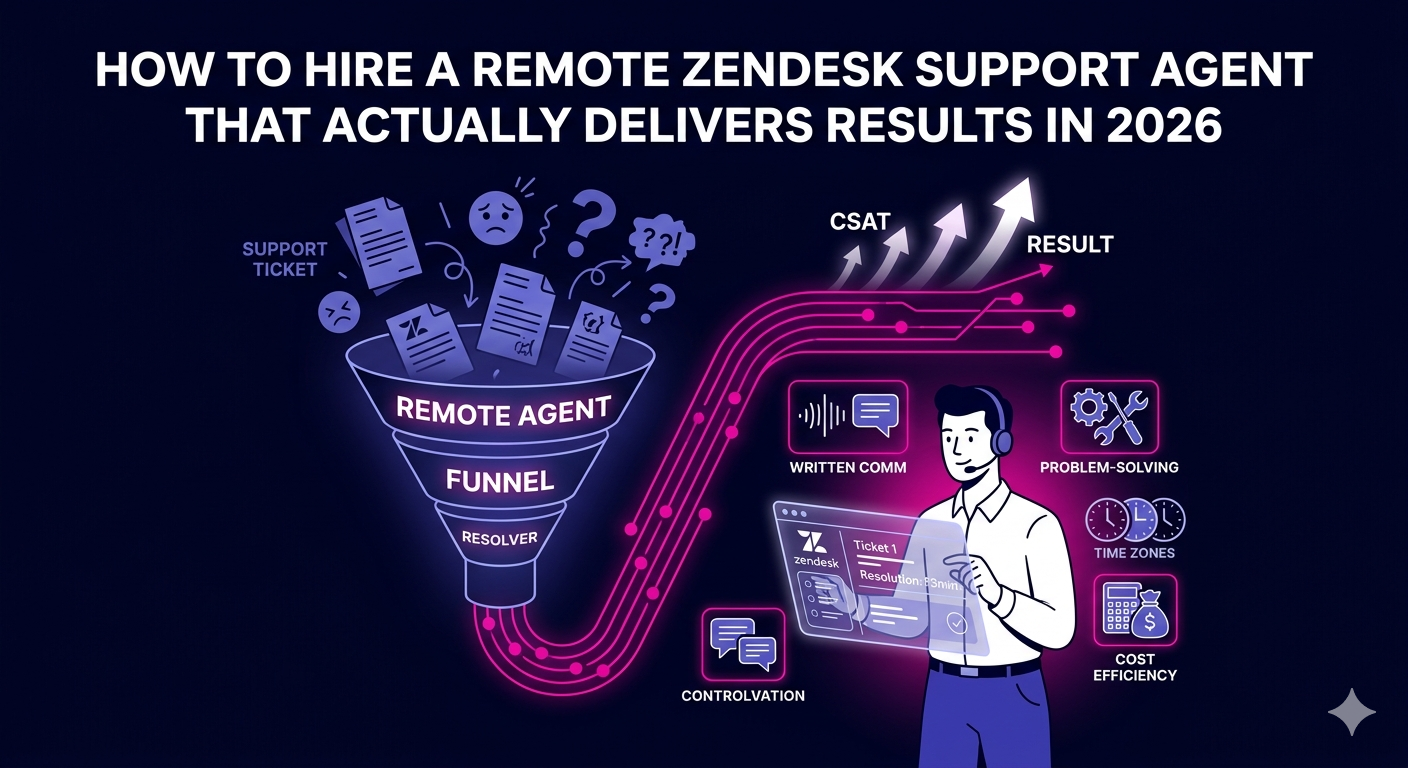
The shift toward remote customer support has accelerated significantly. Here is why hiring a remote Zendesk support agent makes strong business sense right now:
- Cost efficiency: Remote agents eliminate overhead costs like office space, utilities, and equipment purchases.
- 24/7 coverage: You can hire agents across time zones to ensure your customers never wait for help.
- Faster scaling: Add or reduce headcount quickly based on ticket volume without long-term commitments.
- Access to global talent: Geography is no longer a barrier to finding skilled, experienced Zendesk professionals.
- Zendesk-specific expertise: Specialized agents bring platform fluency that generalist hires often lack.
Key Skills to Look for in a Remote Zendesk Support Agent
Not every customer service professional is the right fit for a remote Zendesk role. When evaluating candidates, prioritize the following competencies:
Technical Proficiency in Zendesk
Your agent should know how to configure ticket views, create and use macros, set up triggers and automations, generate reports from the analytics dashboard, and integrate Zendesk with tools like Slack, Shopify, or Salesforce. This level of expertise separates a true Zendesk specialist from someone who simply uses the tool.
Strong Written Communication
A remote Zendesk support agent communicates primarily through text. Their responses must be clear, empathetic, and on-brand. Look for candidates with a clean, concise writing style who can adjust tone depending on the situation, whether it is a routine inquiry or a frustrated customer complaint.
Problem-Solving and Escalation Judgment
Great agents know when to resolve an issue independently and when to escalate. They should be able to identify patterns in recurring tickets and proactively flag systemic issues to the relevant internal team.
Reliability and Self-Management
Remote work demands discipline. Your agent should be comfortable managing their own schedule, hitting response time targets, and maintaining performance without daily supervision. Look for verifiable track records from previous remote roles.
How to Onboard a Remote Zendesk Support Agent Effectively
Hiring the right person is only half the equation. A structured onboarding process ensures your new agent integrates smoothly and delivers value quickly.
Set Up Their Zendesk Access and Workflows Early
Before the agent’s first day, create their Zendesk account, assign the correct role permissions, and give them access to your ticket views, macros, and any relevant integrations. A well-organized Zendesk environment dramatically reduces ramp-up time.
Create a Knowledge Base and SOPs
Document your most common ticket types and the correct responses for each. Build out a Zendesk Help Center or share internal SOP documents so your agent has a reliable reference point when handling unfamiliar situations.
Schedule Regular Performance Reviews
Use Zendesk’s built-in reporting features to track key metrics: first reply time, resolution time, CSAT scores, and ticket backlog trends. Review these with your agent weekly or biweekly to identify gaps and reinforce positive behaviors.
The Right Tools to Support a Remote Zendesk Support Agent
To set your remote agent up for success, make sure they have access to the right supporting tools alongside Zendesk:
- Slack or Microsoft Teams for real-time internal communication
- Loom or Notion for asynchronous knowledge sharing and documentation
- Time tracking software like Toggl or Hubstaff if you are managing billing or productivity metrics
- Password manager such as 1Password or LastPass for secure credential sharing
- Zoom or Google Meet for weekly team check-ins
Where to Find a Vetted Remote Zendesk Support Agent
Finding a reliable agent on generic job boards can be a time-consuming process with inconsistent results. If you want pre-screened professionals with proven Zendesk experience, working with a specialist remote staffing partner is a faster and more reliable route.
Explore vetted remote Zendesk support agent talent at The Remote Reps and find a customer support expert who is ready to integrate with your team from day one.
The Remote Reps specializes in connecting businesses with skilled remote professionals across support, sales, marketing, and operations. Their rigorous vetting process means you skip the lengthy hiring cycle and get straight to results.
For broader context on best practices in remote support staffing, the Zendesk blog on remote customer service offers valuable industry insights directly from the platform’s own experts.
Remote Zendesk Support Agent vs. In-House Agent: A Practical Comparison
Many businesses wrestle with this decision. Here is a straightforward breakdown to help you evaluate both options:
- Cost: Remote agents typically cost 30 to 60 percent less when factoring in salaries, benefits, and overhead.
- Setup time: A remote agent sourced through a vetting partner can be operational within days, not months.
- Flexibility: Remote arrangements scale up or down more easily than headcount-based in-house teams.
- Culture fit: In-house agents may integrate more organically with company culture, though strong remote communication practices can close this gap significantly.
- Supervision: In-house agents are easier to supervise directly, while remote agents require clear KPIs and digital management systems.
For most growing businesses, the advantages of a remote Zendesk support agent clearly outweigh the drawbacks, especially when the agent is experienced and the onboarding is properly structured.
Frequently Asked Questions About Hiring a Remote Zendesk Support Agent
What does a remote Zendesk support agent do on a daily basis?
A remote Zendesk support agent handles incoming customer tickets, responds to inquiries via email, chat, or social media channels integrated with Zendesk, escalates complex issues to the appropriate team, updates internal documentation, and monitors their performance metrics. They may also help maintain the Zendesk Help Center and create or refine macros to speed up common responses.
How much does it cost to hire a remote Zendesk support agent?
Costs vary depending on the agent’s location, experience level, and whether you hire directly or through a staffing partner. Rates generally range from $8 to $25 per hour for offshore talent and $18 to $45 per hour for agents based in North America or Western Europe. Working with a specialist partner like The Remote Reps can help you find the right balance of quality and cost for your specific needs.
Do I need to provide Zendesk training to a remote Zendesk support agent?
If you hire a pre-vetted Zendesk specialist, core platform training is typically not required. However, you should always onboard them on your specific ticket workflows, macros, escalation procedures, and brand communication guidelines. A short orientation period of one to two weeks is standard and significantly improves long-term performance.
What metrics should I track for a remote Zendesk support agent?
The most important Zendesk metrics to monitor include first reply time, full resolution time, customer satisfaction (CSAT) score, ticket volume handled per shift, and reopened ticket rate. Zendesk’s built-in Explore reporting tool makes it straightforward to track all of these in real time, giving you a clear picture of your remote agent’s performance.
Is a remote Zendesk support agent suitable for a small business?
Absolutely. In fact, small and medium-sized businesses often benefit the most from hiring a remote Zendesk support agent because it gives them access to professional-grade support capabilities without the cost of building an in-house team. Even a single dedicated remote agent can dramatically improve response times and customer satisfaction for a growing business.
How do I ensure data security when working with a remote Zendesk support agent?
Data security is a valid concern for any remote arrangement. Start by assigning your agent only the Zendesk permissions they need to do their job. Use a password manager for secure credential sharing, require two-factor authentication on all accounts, and include clear data handling policies in your contractor agreement. Zendesk itself offers robust role-based access controls that make it straightforward to limit exposure to sensitive customer data.